
Cuba advance passenger information
The D'Viajeros QR Code for Cuba: Full Guide
Everything about the D'Viajeros QR code: what information it holds, when it is generated, where it is checked and how to save it without relying on internet in Cuba.
14 min read
When you finish and validate the D'Viajeros form, the system hands you a QR code. That small square is proof that you have completed Cuba's Advance Passenger Information, and it is what you are asked for on arrival. Because the process is free and digital, everything boils down to that QR: keep it safe and, above all, download and print it before you travel.
In brief: the D'Viajeros QR code sums up your immigration, health and customs declaration in a single code. It is generated when you validate the form and is checked at Immigration, Customs and Public Health. Internet in Cuba is limited and expensive, so do not rely on a connection: save it as a screenshot, a PDF and a printout before you leave.
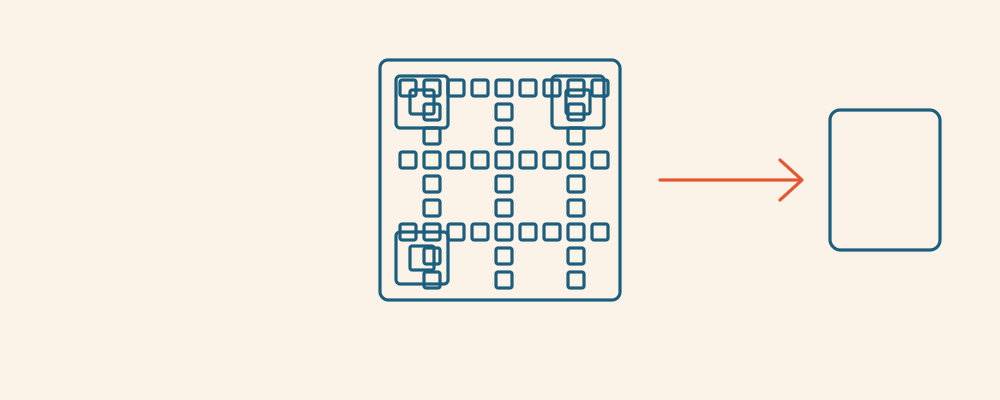
What the QR code is and what it holds
The QR code is a proof of submission in the form of an image. It does not carry your whole life; it holds an encoded reference to the request you have just completed on the official portal. When airport staff scan it, the system retrieves the data you declared and confirms that your D'Viajeros is in order.
In practice, that QR stands for the information you unified into a single process: your personal and passport details, your arrival flight and date, your address in Cuba, and your customs and health declarations. All of that used to travel on several paper forms; now it is summed up in this one code.
- Identity: name, nationality and passport number.
- Trip: arrival flight, date and airport of entry.
- Accommodation: the address where you will stay in Cuba.
- Declarations: the customs part (cash, goods) and the health part.
In short: the QR is the key that sums up your form; the detail lives in the system, not in the picture.
How and when it is generated
The QR does not exist while you fill in the fields; it appears at the end, when you review everything and hit validate. That validation step is what closes the request and triggers the QR's creation. If you leave the form half done or exit without validating, there will be no QR to show.
That is why "filling in" and "finishing" are not the same. Many travelers think it is done because they typed their details, but without the final confirmation nothing is generated. Always check that you reached the QR screen and have it in front of you before you close the page.
- Fill in every field of the form carefully.
- Check that each detail matches your passport and your flight.
- Hit validate to confirm the request.
- Wait for the QR code to appear on screen.
- Download and save it right away; do not leave it for later.
Worth knowing: the QR is generated when you validate, not before. If you do not see the code, the form is not complete yet. Do not assume the process is done until it is in front of you.
In short: the code is born at validation; no validation, no QR.
Where it is checked on arrival
The QR is an entry document, so its moment is the Cuban airport. As you disembark you pass through several controls, and at each one you may be asked to show it. The main ones are Immigration, Customs and Public Health, each reviewing the part of your declaration that concerns it.
This happens at the country's various entry points. Whether you land at Jose Marti (Havana), Varadero, Holguin, Santa Clara or Cayo Coco, the routine is the same: having the QR ready speeds you through. Keeping it to hand, rather than lost in your inbox, is the difference between a smooth line and a jam.
| Control | What it checks with your QR |
|---|---|
| Immigration | Identity, passport and flight details |
| Customs | Cash declaration and goods you are carrying |
| Public Health | The health part of your declaration |
In short: it is checked at Immigration, Customs and Public Health, at any airport of entry.
How to save it without relying on internet
This is the most important point and the one most often overlooked. Internet access in Cuba is limited and expensive: you may have no mobile data the moment you land, the wifi may be pay-by-the- hour, or the signal may drop right in the line. That is why you must not depend on a connection to show your QR.
The golden rule is to keep the code saved in several formats that work with no network. A screenshot on your phone is always available; a downloaded PDF is easy to find; and a paper printout saves you if your phone dies or will not switch on. It costs nothing and removes a real headache.
- Screenshot: save it to your phone's photo album, not just your inbox.
- Downloaded PDF: pull it onto your phone so you can view it offline.
- Paper printout: tuck it into your passport pocket just in case.
- Extra copy: send it to a relative or store it on another device.
Worth knowing: the single most useful tip in this guide is simple: download and print the QR before you leave home, while you have a good connection. In Cuba you may not have one.
In short: screenshot, PDF and printout; never depend on Cuban wifi to show the QR.

What to do if it does not arrive or you did not download it
Sometimes the QR shows on screen but, amid the rush, you close the page without saving it; or you wait for an email that never quite lands. Do not panic: there is room to recover it as long as you are within your travel window and have a good connection.
The first move is to return to the official portal and check your request: if the form was validated, the QR should be retrievable from there. Check your spam folder too. If nothing works and the trip is imminent, you can always redo the process within the 48 hours before arrival, since it is free.
- Go back to the official portal and check your request status.
- Look in your spam folder and other inbox tabs.
- If it still does not appear, redo the form within the 48-hour window.
- When in doubt, write to the system's official support contact.
In short: recover it from the portal or redo it in time; the process is free and can be repeated.
One QR per person, children included
The D'Viajeros is individual: every traveler needs their own form and, therefore, their own QR code. That includes children and infants, even if they travel on an adult's passport or have no customs data of their own. At the controls, the QR for each family member may be requested.
The practical upshot is that you must get organized if several of you travel. Prepare one QR per person, save them all with clear names (in a folder, say, or as ordered screenshots) and, if you can, print them together. That way, in the Immigration line, you will know whose is whose without a frantic search.
Worth knowing: a single QR does not cover the whole family. You need one per traveler, minors included. Allow extra time if you are filling in several forms back to back.
In short: one QR per person, children included; organize and label each one before you travel.
Is the QR only for arrival?
The QR code is designed mainly for the moment of entry into Cuba: it is what gets scanned at the airport controls when you land. That is its primary use and what you should have ready. It is not a permanent pass you use day to day inside the country.
That said, keep it for the whole trip and do not delete it the moment you clear Immigration. Having it to hand costs little and avoids surprises if it is requested again for any reason. And if you make a round trip with several entries, each arrival in Cuba is its own process with its own QR.
In short: its primary use is arrival; keep it anyway until the trip is over.
What to do if the QR will not scan
A QR can fail to scan: a dim screen, a blurry image, crumpled paper or a code that was generated half-way. It is not common, but it helps to react calmly rather than panic in the middle of a line.
If the reader will not pick it up, turn your screen brightness to maximum, wipe the lens, try the printed version or the PDF instead of the screenshot, and avoid glare. If it still will not scan, staff can locate your request with your details and your passport. That is why carrying the paper copy and knowing the email or details you registered with is so useful.
| Situation | What to do |
|---|---|
| The QR will not scan on screen | Turn brightness to maximum and wipe the reader's lens |
| The screenshot comes out blurry | Try the PDF or the printed version |
| Your phone has run out of battery | Show the QR on the paper you printed earlier |
| You did not download the QR | Recover it on the official portal or redo the form |
| No reader can read the code | Provide your passport and details to locate the request |
| You are traveling as a family and mix up the QRs | Label each one with a name before the line |
How we help with the QR
The D'Viajeros and its QR are free on the official portal, and you can handle them yourself. As an independent paid assistance service, our job is to make sure the form is properly validated, the QR is generated without errors and you save it in several formats before you fly. We are not MITRANS or the Cuban government.
If you worry about losing signal on arrival, Cuba's limited connectivity, or simply misplacing the code, we help you get it all set: screenshot, PDF and printout, one per traveler. You decide whether to do it alone or with our support.
Key points
- The QR sums up your immigration, health and customs declaration in one code.
- It is generated at validation; without validation there is no QR.
- It is checked at Immigration, Customs and Public Health when you arrive in Cuba.
- Internet in Cuba is limited: download and print it before you travel.
- You need one QR per person, children and infants included.
- If the QR will not scan, raise the brightness, use the printout or locate your request by passport.
FAQ about the D'Viajeros QR code
What information does the QR code hold?
It sums up your request: identity and passport, flight and arrival date, accommodation address, and your customs and health declarations. The detail lives in the system; the QR is the reference that gets scanned.
When is the QR generated?
At the moment you validate the form, on the final step. If you do not reach the code screen, the process is not finished and nothing is generated. Always check the QR is in front of you.
Where will I be asked for the QR?
At the Immigration, Customs and Public Health controls in the arrival airport, whether Jose Marti, Varadero, Holguin, Santa Clara or Cayo Coco. Having it ready speeds you through.
Do I need internet to show the QR in Cuba?
You should not depend on it. Internet access in Cuba is limited and expensive, so save the QR as a screenshot, a PDF and a printout to show it offline.
What if the QR does not arrive by email?
Check your spam folder and return to the official portal to check your request. If the form was validated, you should be able to recover it from there.
And if I did not download the QR in time?
Check it on the official portal or, if the trip is imminent, redo the form within the 48 hours before arrival. The process is free and can be repeated.
Does one QR cover the whole family?
No. You need one QR per traveler, children and infants included. Prepare them all ahead of time and label each with a name so you do not mix them up in the line.
Is the QR only for arrival?
Its primary use is the Cuban entry control. Even so, keep it for the whole trip in case it is requested again. Each arrival in the country is a process with its own QR.
What do I do if the QR will not scan?
Raise your screen brightness, wipe the reader's lens, try the PDF or the printed version, and avoid glare. If it still fails, staff can locate your request with your passport.
Does the QR code cost anything?
No. Both the D'Viajeros and its QR are free on the official portal. What costs money are separate items such as the tourist card, the eVisa or mandatory travel insurance.
Last updated: July 2026. Entry rules change; always confirm the current requirements on the official D'Viajeros (MITRANS) portal and with your airline before you travel.
To round out your preparation, these guides may help: what the D'Viajeros form is, how to fill the D'Viajeros form step by step, when to complete the D'Viajeros form, D'Viajeros for families and children and common D'Viajeros mistakes.